Skip to product information

❤️ SafeLink™ SOS Safety Watch – One-Touch Help & Fall Alert Support for Seniors

❤️ SafeLink™ SOS Safety Watch – One-Touch Help & Fall Alert Support for Seniors

Customer Customer Customer Customer Customer
100+ orders in the last 24h
9999+ Happy Customers
★
★
★
★
★
TrustScore 4.9 | 13,834 reviews
MADE IN
📍 113 S Gillette Ave, #225
Gillette, WY 82716
✓ Shopify Secure
Regular price $35.99
Regular price $35.99 Sale price
SAVE Liquid error (snippets/price line 119): Computation results in '-Infinity'% Sold out

Buy More Save More

  • American express payment method American Express
  • Apple pay payment method Apple Pay
  • Bancontact payment method Bancontact
  • Diners club payment method Diners Club
  • Discover payment method Discover
  • Google pay payment method Google Pay
  • Master payment method Mastercard
  • Mbway payment method MB WAY
  • Paypal payment method PayPal
  • Shopify pay payment method Shop Pay
  • Visa payment method Visa
 
add_shopping_cart

-

Ordered

local_shipping

- - -

Order Ready

redeem

- - -

Delivered

❤️ SafeLink™ SOS Safety Watch – One-Touch Help & Fall Alert Support for Seniors

❤️ SafeLink™ SOS Safety Watch – One-Touch Help & Fall Alert Support for Seniors

Regular price $35.99
Regular price $35.99 Sale price
SAVE Liquid error (snippets/price line 119): Computation results in '-Infinity'% Sold out
WHEN HELP IS NEEDED • THE PHONE MAY NOT BE IN REACH

Keep The Help Button On The Wrist.

SafeLink™ pairs with a smartphone to support one-touch SOS alerts, caregiver notifications and fall-alert functionality in a simple wrist-worn design.
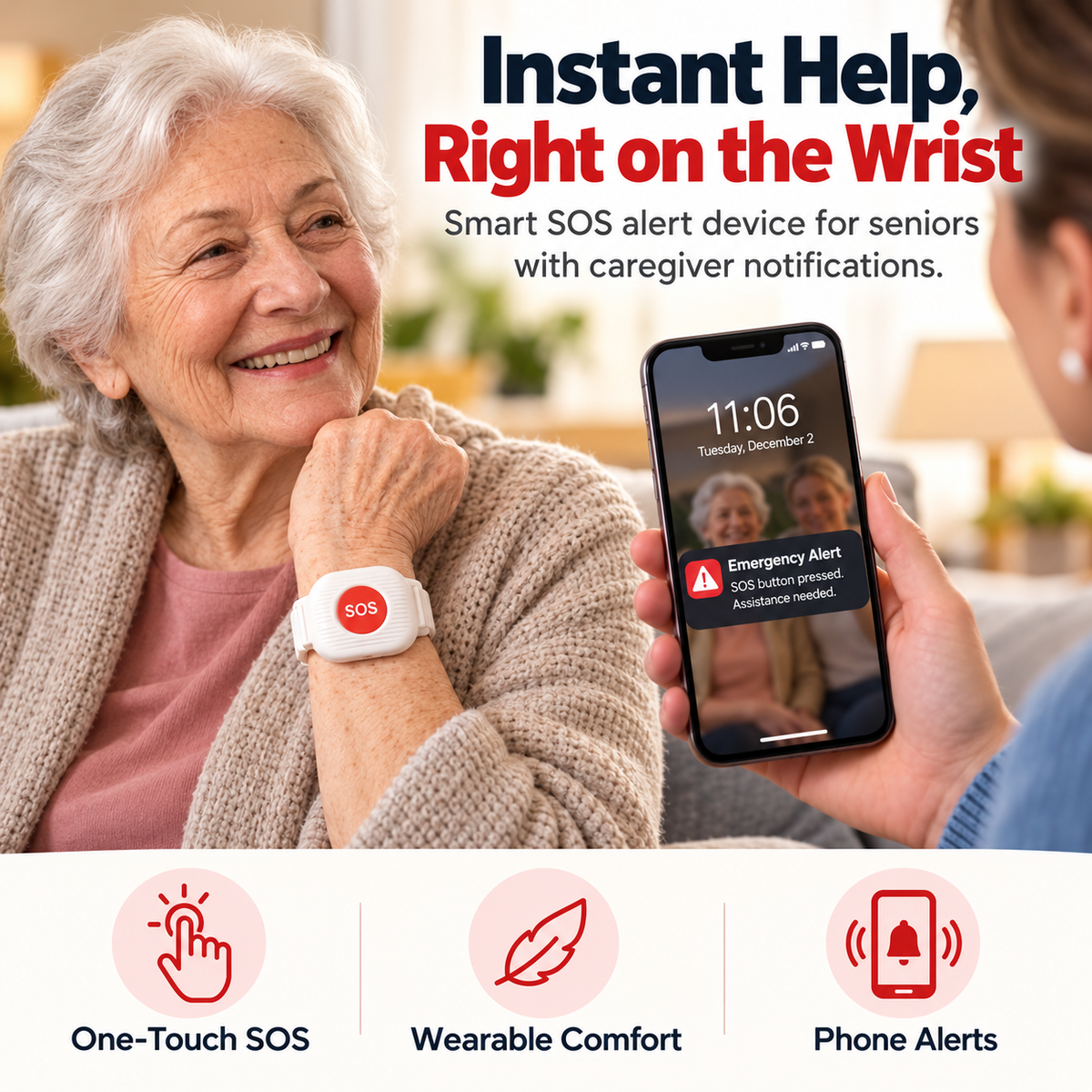
🆘 One-Touch SOS 📱 Loved-One Alerts ⌚ Easy Wrist Access
SafeLink SOS wristband shown with caregiver phone alert
HELP SHOULD NOT START WITH FINDING THE PHONE

The Phone Can Be Across The Room When Help Is Needed.

SafeLink™ is designed around a simpler idea: keep a dedicated alert control on the wrist so the first action does not have to be searching for a phone.

🆘 Dedicated SOS Control A large red button creates one clear action for requesting help through the paired alert system.
📱 Connected Loved Ones Current product creative shows notifications being delivered to a caregiver or family member’s smartphone.
⌚ Worn Where It Is Easier To Reach The alert device stays on the wrist instead of sitting on a table elsewhere in the home.
WEAR PRESS ALERT CONNECT CHECK IN STAY CLOSE
AN EXTRA ALERT LAYER WHEN A FALL MAY BE DETECTED

Fall-Alert Support Adds Another Way To Get A Family Member’s Attention.

Current SafeLink™ creative presents automatic fall-detection functionality that can trigger a caregiver notification when the system identifies a possible fall.
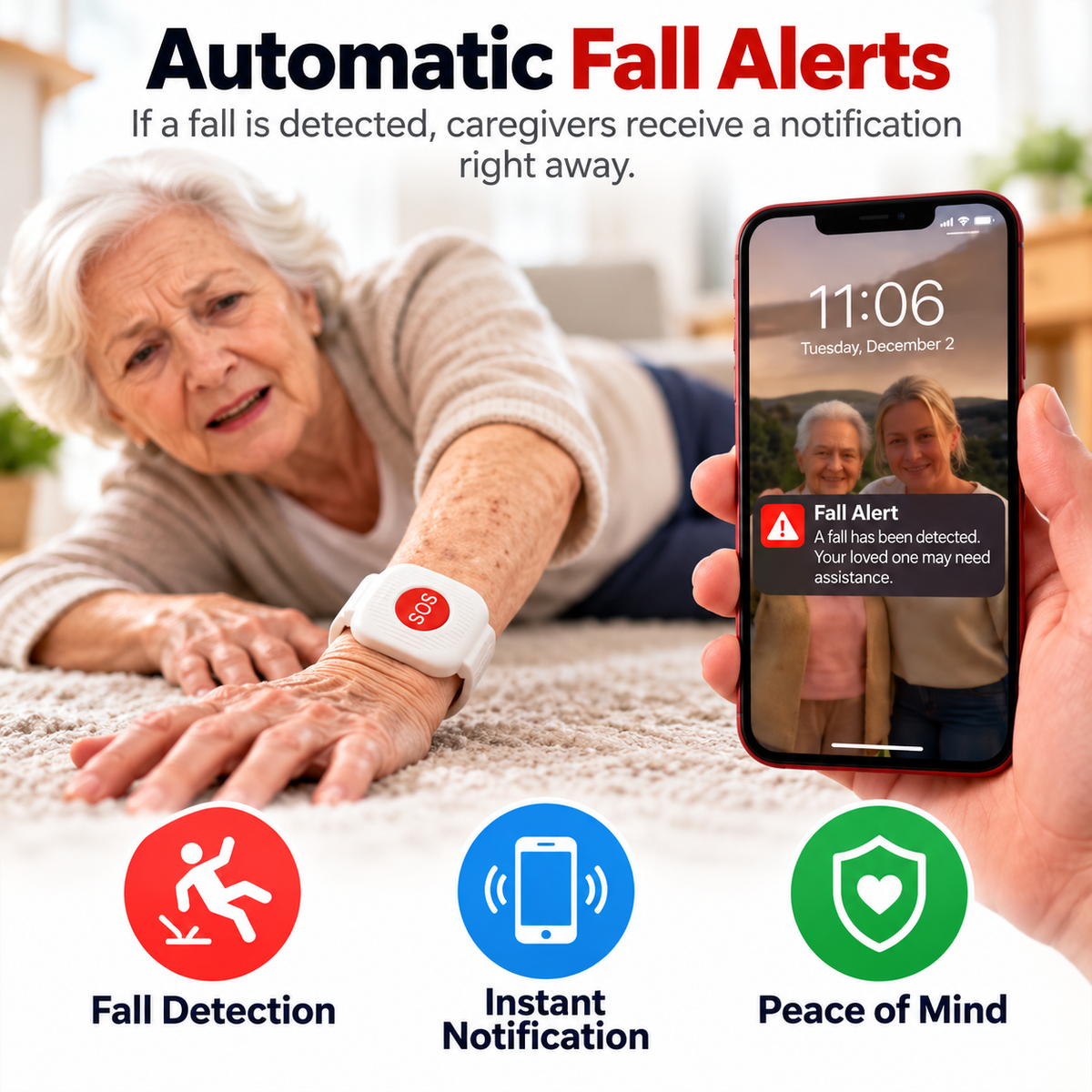
⚠️ Fall-Alert Support 📲 Caregiver Notification ❤️ Extra Connection Layer
SafeLink fall-alert support shown notifying a caregiver smartphone
ONE LARGE BUTTON • ONE CLEAR ACTION

When Something Feels Wrong, Keep The First Step Simple.

The prominent SOS button is designed to reduce the number of steps between recognizing a need for help and sending an alert through the connected system.
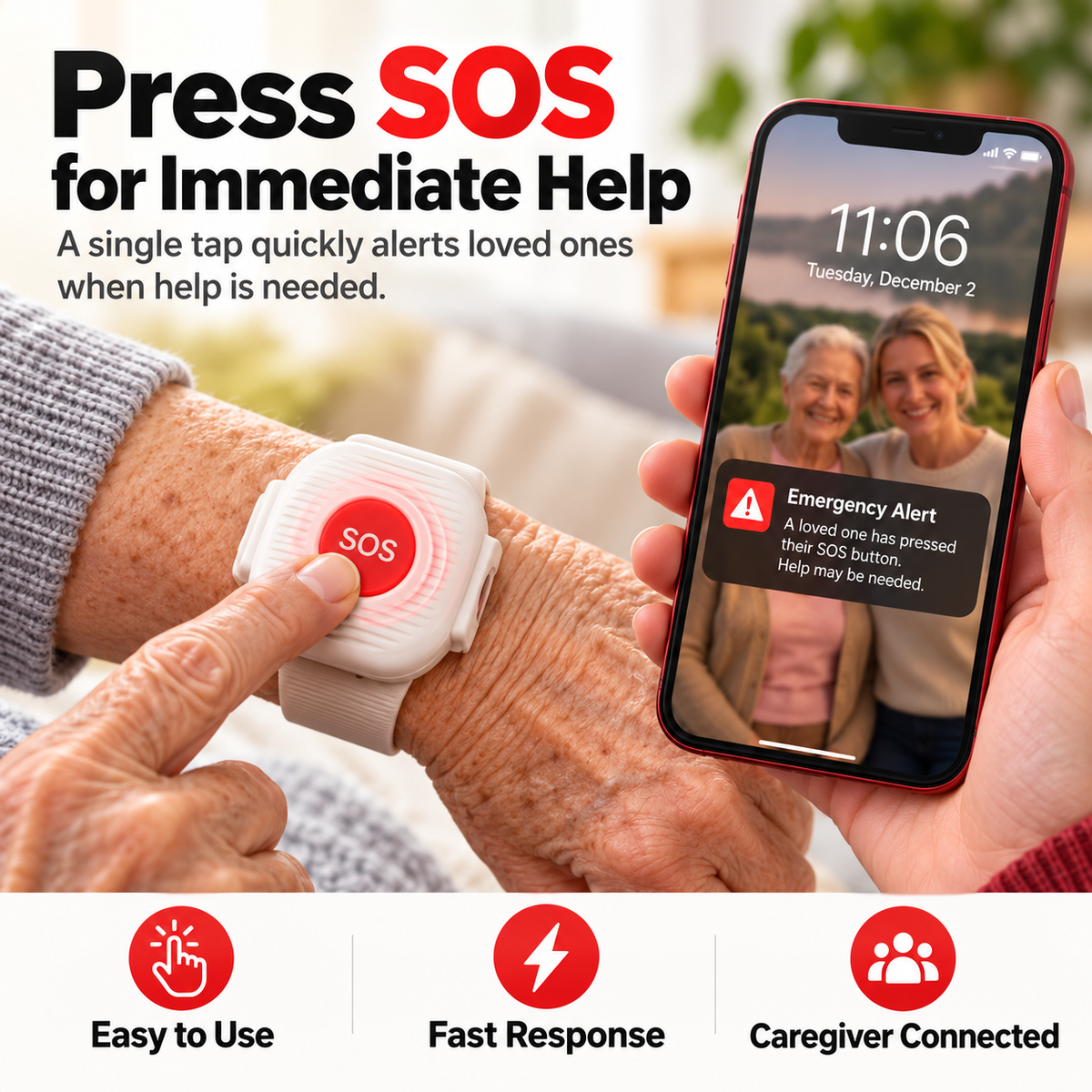
🆘 Press SOS Use the dedicated control when assistance from a connected loved one or caregiver is needed.
📲 Alert Sent Through The System Current product imagery shows the paired family smartphone receiving an SOS notification.
👨👩👧 Family Can Check In The value is a faster communication cue — not a guarantee of emergency response.
Senior pressing the SafeLink SOS wristband while a loved one receives an alert
SIMPLE ENOUGH TO EXPLAIN IN THREE STEPS

Wear It. Pair It. Keep Help Closer.

SafeLink™ is presented as a wrist-worn alert device that connects with a smartphone so alerts can reach a loved one or caregiver.
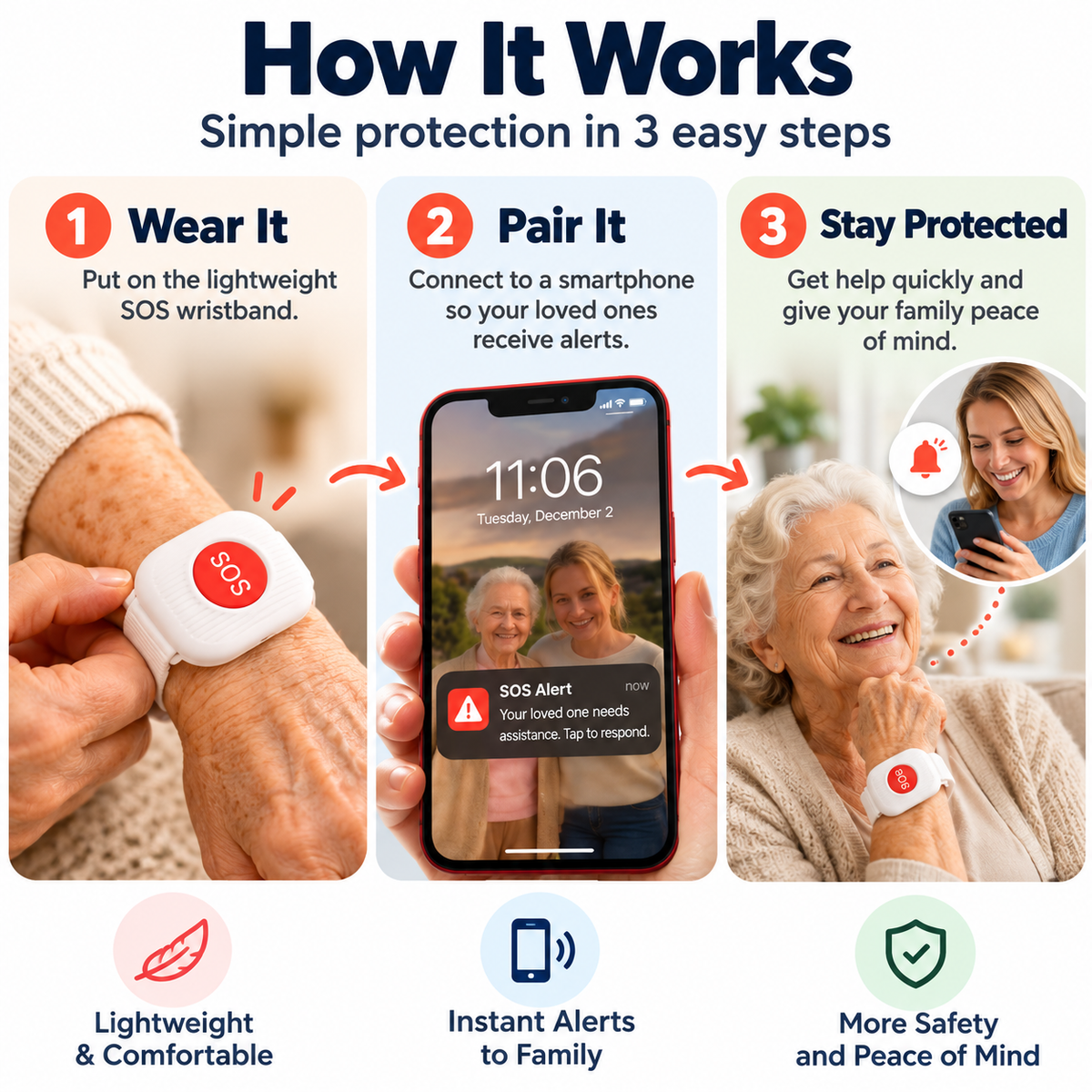
01
Wear It Place the lightweight SOS device on the wrist according to the supplied instructions.
02
Pair It Connect the SafeLink™ system to a compatible smartphone using the pairing process provided with the product.
03
Keep Alerts Connected Use the SOS function and fall-alert support as an additional way to notify connected family or caregivers.
SafeLink three-step setup showing wear pair and caregiver alerts
BEDROOM LIVING ROOM HALLWAY DAILY ROUTINE FAMILY CONNECTION OUTDOOR ROUTINE
DESIGNED AROUND EVERYDAY ROUTINES

Keep The Alert Control With The Person As They Move Through The Day.

Current product creative positions SafeLink™ for daily use around the bedroom, living room, hallway and suitable outdoor routines.
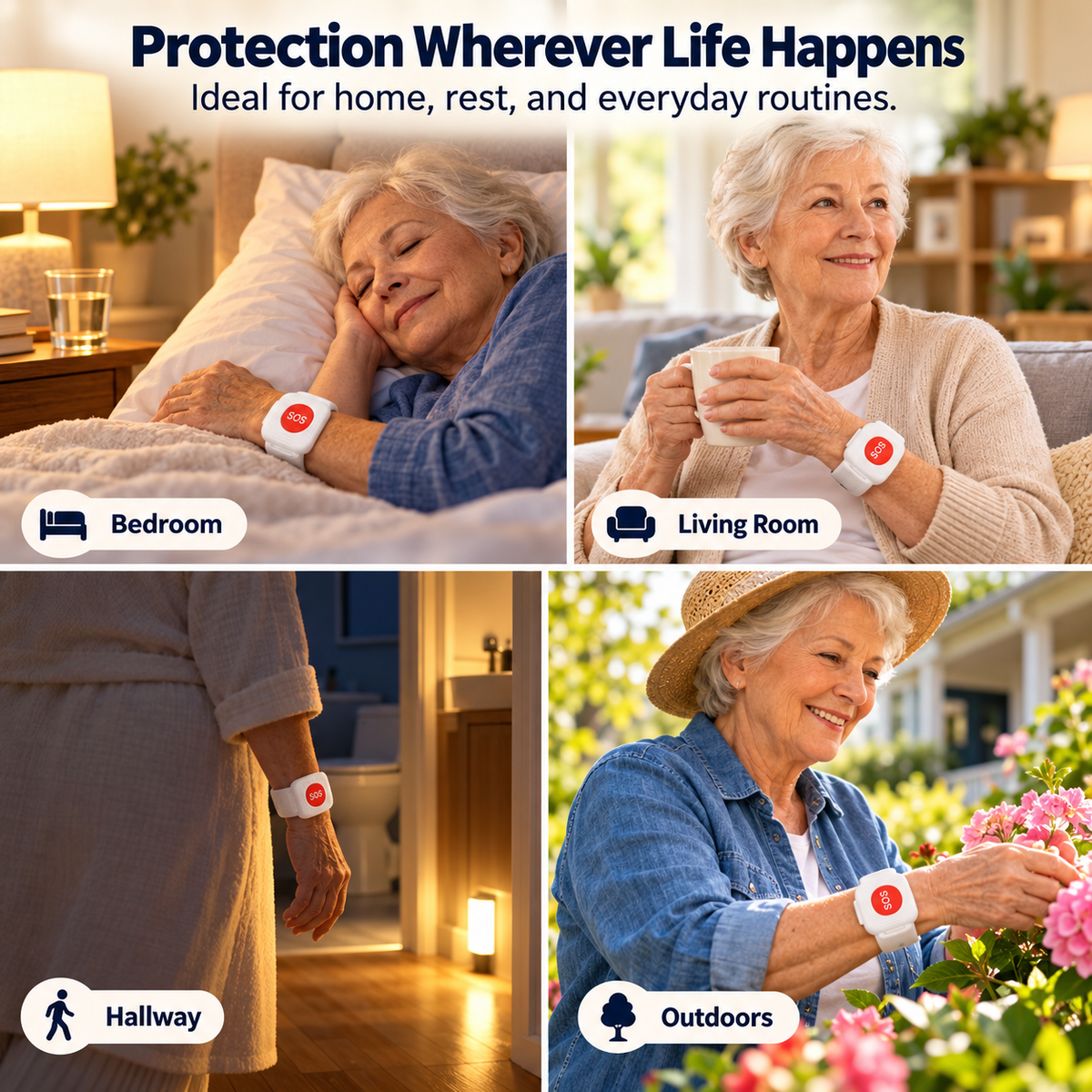
🌙 Bedroom Keep the SOS control on the wrist during nighttime and early-morning routines.
🏠 Around The Home Carry the alert control with the wearer instead of leaving it on a desk or table.
🌿 Outdoor Routine Product creative depicts outdoor use; actual alert availability depends on the device’s required smartphone and connectivity conditions.
SafeLink SOS wristband shown in bedroom living room hallway and outdoor settings
INDEPENDENCE FOR THEM • ANOTHER WAY TO REACH YOU

Stay Connected Without Turning Everyday Life Into Constant Supervision.

SafeLink™ is designed to support a more independent routine while giving family another alert pathway when the wearer actively presses SOS or when the system may identify a fall.
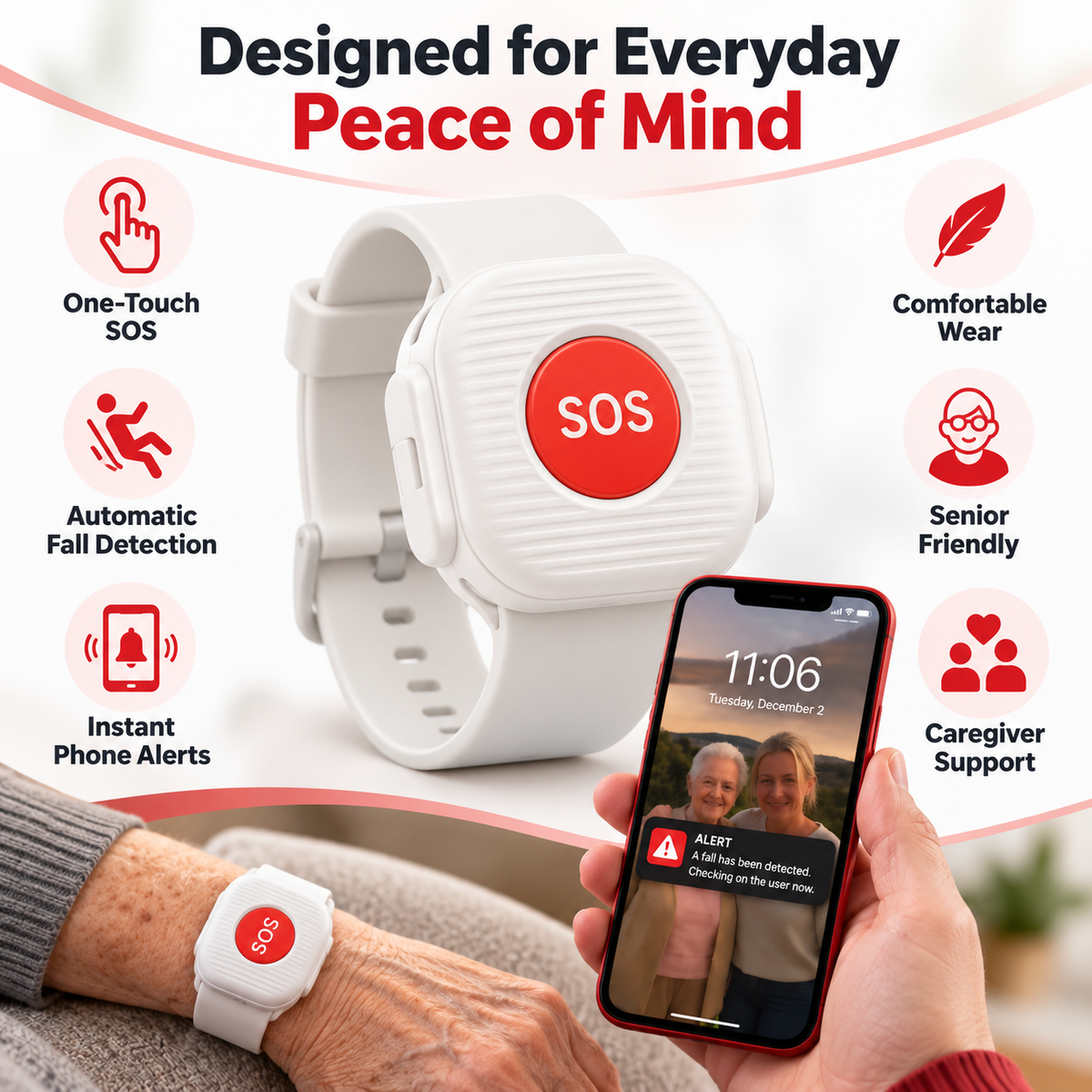
🆘 One-Touch SOS ⚠️ Fall-Alert Support 📲 Phone Notifications ❤️ Caregiver Connection
SafeLink SOS wristband with one-touch button fall alert and caregiver phone support
PRODUCT HIGHLIGHTS

Keep The Communication Step Simple.

🆘 ONE-TOUCH SOS Put A Dedicated Help Signal Within Reach

A prominent SOS control reduces the number of actions required to initiate an alert through the paired system.

⚠️ FALL-ALERT SUPPORT Add Another Alert Pathway

Current product creative presents automatic fall detection that may generate a caregiver notification when a possible fall is identified.

📱 PHONE ALERTS Keep Connected Family In The Loop

The current product concept centers on sending alerts to a paired loved one or caregiver smartphone.

⌚ WRIST-WORN DESIGN Keep The Button With The Person

A wearable format keeps the dedicated SOS control closer than a phone that may be sitting elsewhere.

PRODUCT DETAILS

What The Current Product Creative Clearly Supports.

Product Type Wrist-Worn SOS Alert Device / Alert Wristband
Manual Alert Dedicated One-Touch SOS Button
Fall Feature Automatic Fall-Detection / Fall-Alert Functionality Claimed In Current Creative
Alert Recipient Connected Loved One / Caregiver Smartphone Shown In Current Creative
Setup Concept Wear Device • Pair With Smartphone • Receive Alerts
Wear Style Adjustable Wristband Format
Scenarios Shown Bedroom • Living Room • Hallway • Everyday Home Routine • Outdoor Routine
Primary Audience Older Adults • Family Caregivers • Families Supporting Independent Daily Living
GPS, cellular/SIM service, direct 911 calling, two-way voice communication, professional monitoring, location sharing, subscription requirements, app compatibility, connection range, battery capacity, runtime, charging method, water resistance and fall-detection accuracy are not clearly published in the current product information and are intentionally not claimed here.
AN EXTRA CONNECTION LAYER • NOT A GUARANTEE OF RESCUE

Know What SafeLink™ Is Intended To Support.

SafeLink™ should be treated as an additional alert tool for connected family or caregivers — not as a substitute for emergency services, medical care, professional monitoring or appropriate supervision.

Fall-detection systems can potentially miss events or generate unintended alerts. A manual SOS function also depends on the wearer being able to activate it and on the connected notification pathway working as intended. Test the setup regularly, keep any required paired phone and connectivity available, and use established emergency procedures whenever immediate medical or emergency assistance is required.
☎️ Not A Confirmed 911 Dialer Current product creative shows family/caregiver notifications, not direct emergency-service dispatch.
⚠️ Not A Fall-Prevention Device The product may support alerting after a possible fall; it does not prevent falls from occurring.
📱 Pairing Matters Because current creative explicitly requires smartphone pairing, confirm setup and connectivity before relying on the alert workflow.
BEFORE YOU RELY ON THE ALERT

The Questions Families Should Ask First.

Who receives the SOS alert?

Current product creative shows alerts arriving on a connected loved one or caregiver’s smartphone. It does not clearly state that the SOS button directly contacts 911 or a professional monitoring center.

Does SafeLink™ call 911 automatically?

Direct emergency-service calling is not clearly published in the current product information. Do not assume 911 dispatch functionality unless the seller provides separate documentation confirming it.

View full details
  • Really happy with my purchase! It arrived quickly, looks great, and the quality is even better than I expected. I’ll definitely order again!

    Jennifer W.

  • Very happy with this purchase! The product feels well-made and exceeded my expectations. I’ll definitely be shopping here again.

    David L.

  • Such a great find! The quality, design, and overall experience were excellent. I’m very satisfied and would happily recommend it to friends and family.

    Emily B.

  • Absolutely love this! The quality is better than I expected, and it works exactly as described. Definitely happy with my purchase!

    Sarah M.

  • Great product and great value for the money. Everything arrived safely and looked just like the pictures. I would definitely recommend it!

    Michael R.

  • I’m really impressed with the quality. It’s easy to use, looks great, and has quickly become one of my favorite purchases.

    Jessica T.